Quick Start
Get started with Buildpad.ai in just a few steps — from signing in to building with your favourite AI-ready IDE.
Buildpad.ai is currently in preview. Access is by invitation only. If you don’t have an account yet, ask your organization admin to invite you.
Sign In to Your Account
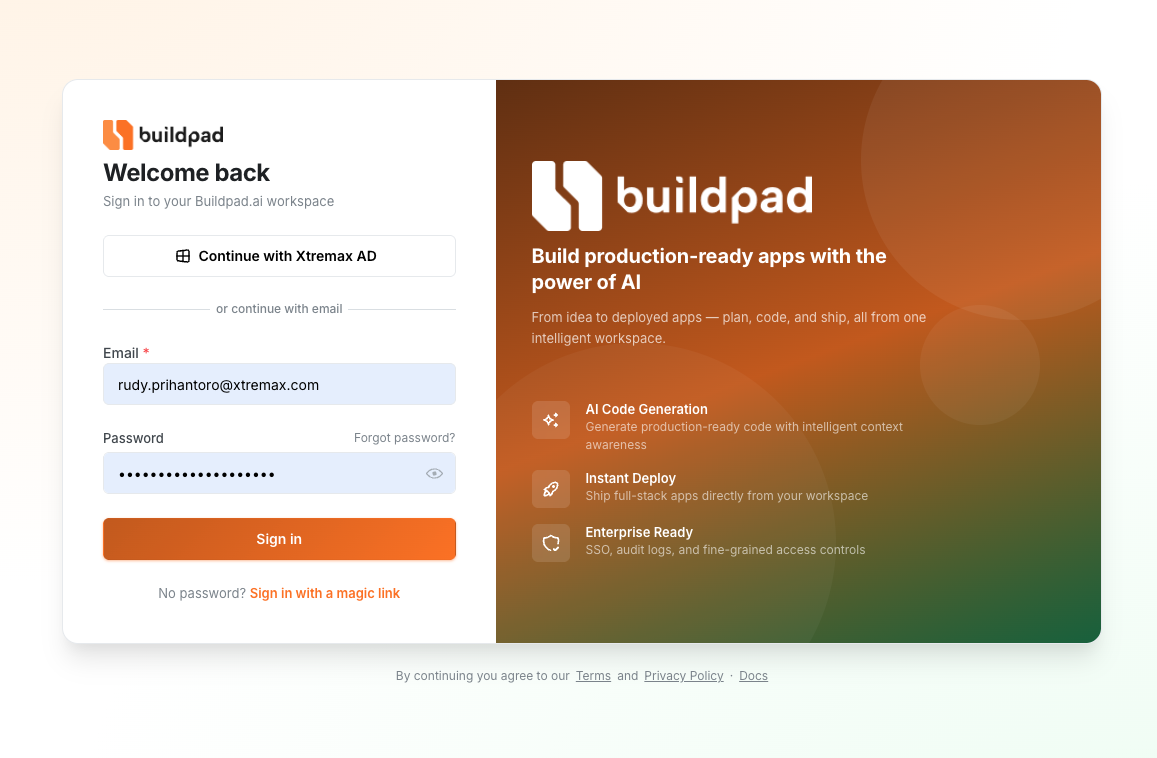
Visit the Buildpad.ai login page and sign in with your email and password, a magic link, or your organization’s SSO (Xtremax AD). New accounts are created via invitation — check your email for an invite link from your admin.
Create or Join an Organization
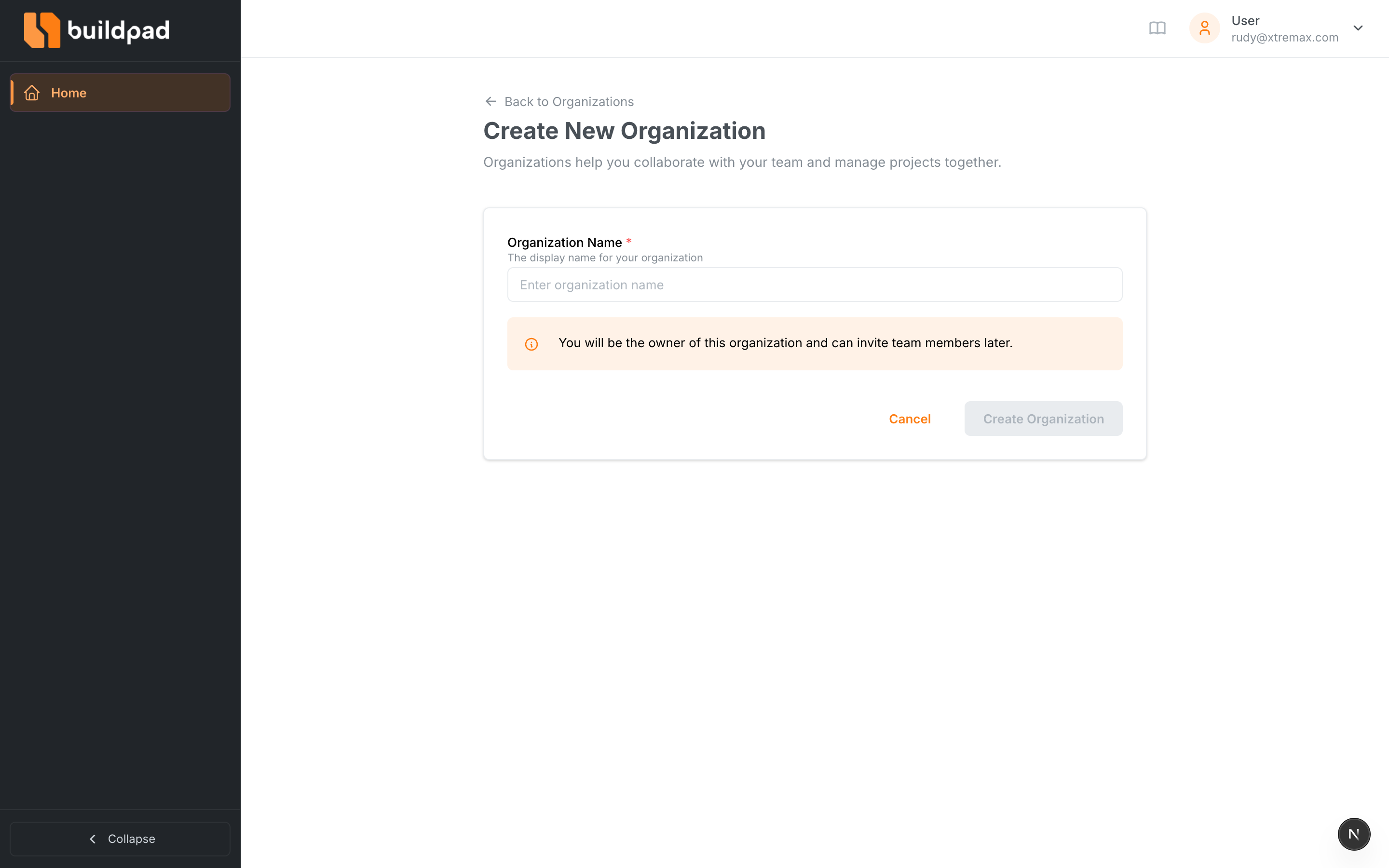
Once you’re logged in, you’ll be prompted to create your first organization or join an existing one. Organizations are shared workspaces where your team collaborates on projects. Give your organization a descriptive name (e.g., “My Company” or “Personal Projects”).
Create Your First Project
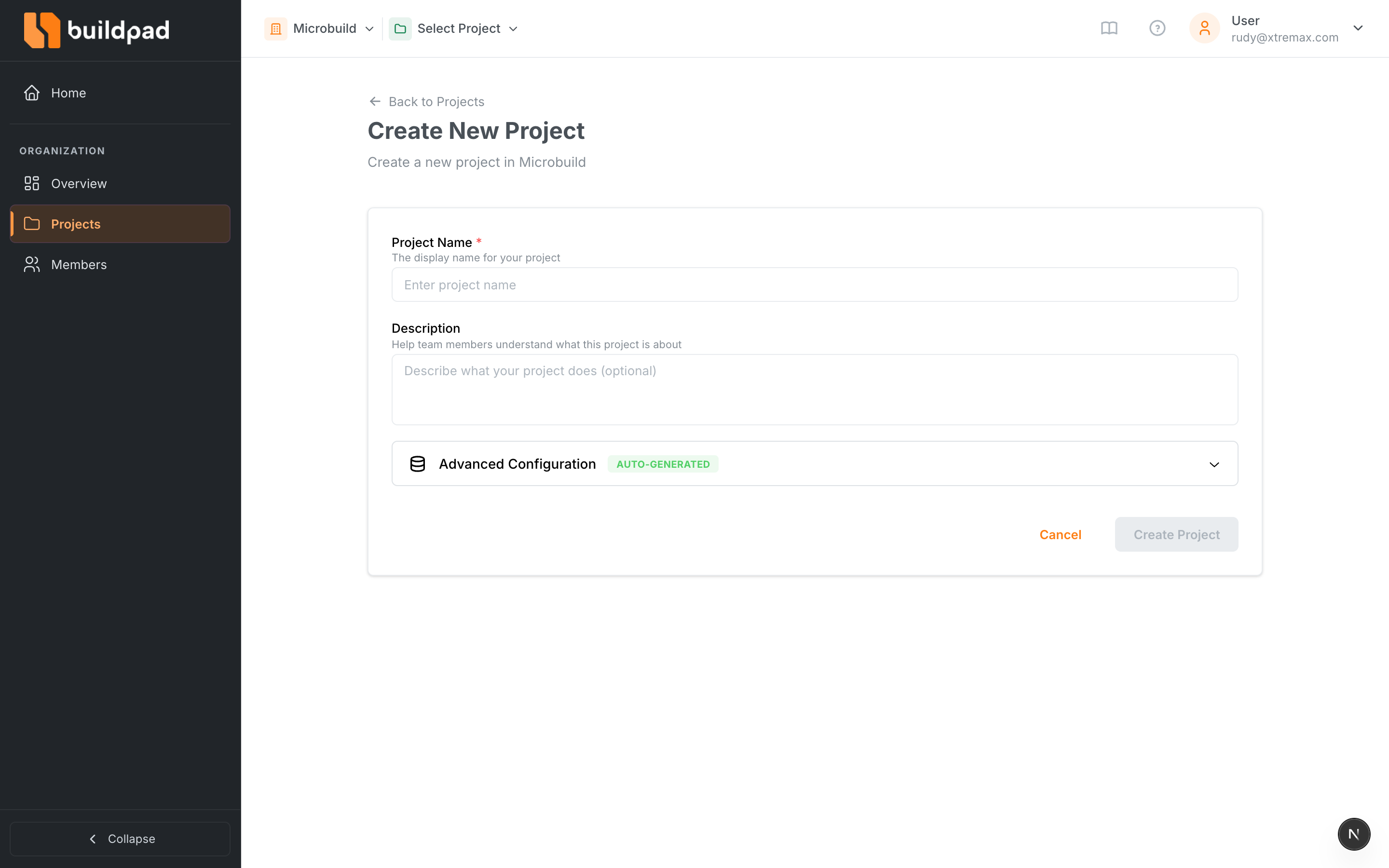
Inside your organization, click “New Project” to create a project. Enter a project name and optional description. Each project can contain multiple microapps that make up your application.
Set Up Your AI IDE
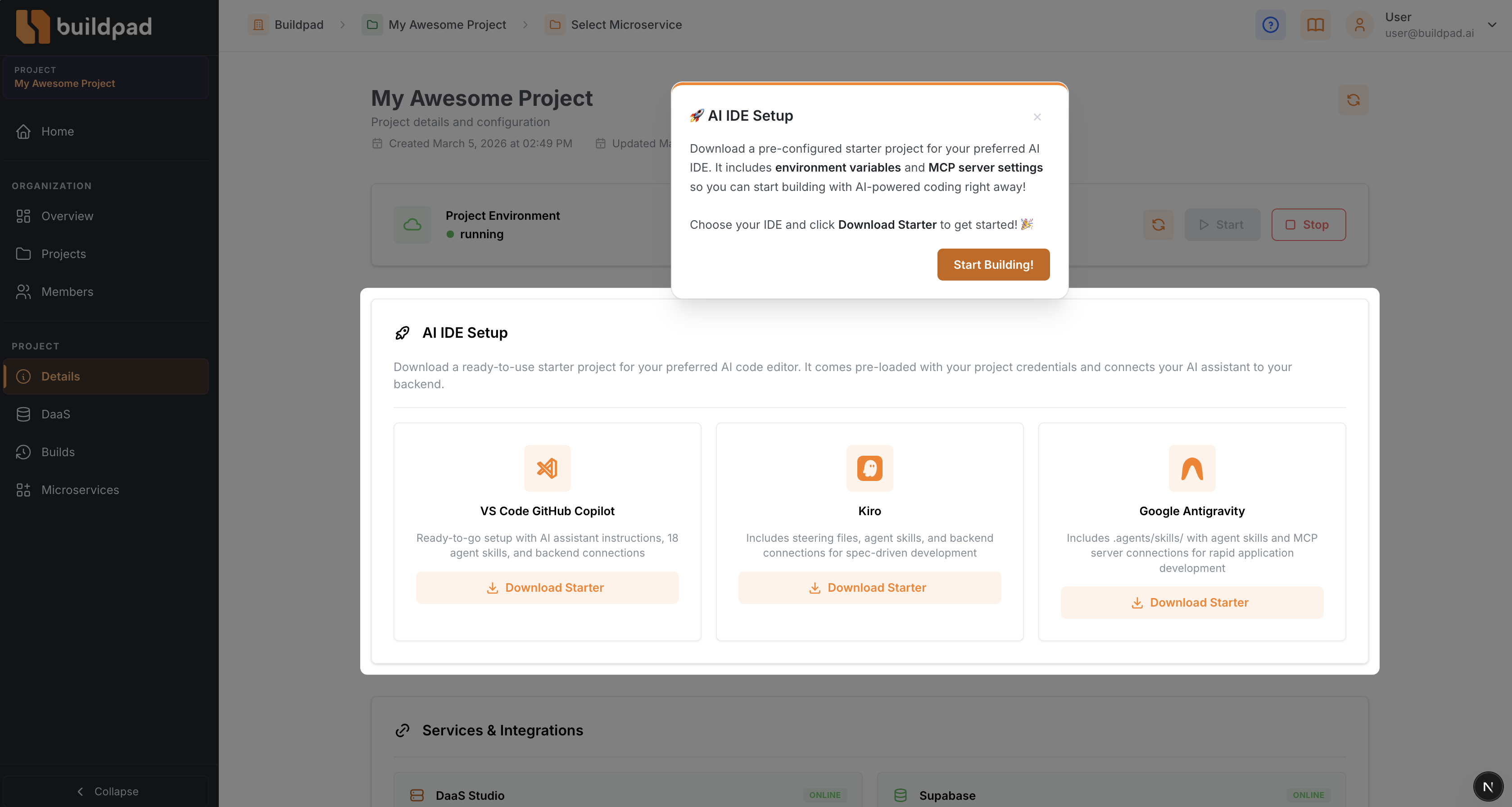
Buildpad.ai integrates with the AI-ready IDEs you already know and love. From your project’s detail page, download a starter project for your preferred editor:
- Claude Code — (Recommended) grab the Claude Code-ready starter with CLAUDE.md project memory, agent skills, subagents, and backend connections.
- VS Code with Github Copilot — download the starter and open it in Visual Studio Code with GitHub Copilot or any AI extension.
- Kiro — grab the Kiro-ready starter for spec-driven AI development with steering files and agent skills.
- Google Antigravity IDE — grab the Antigravity-ready starter with agent skills and backend connections.
We recommend Claude Code for the best experience — it gets the deepest integration with Buildpad’s project memory, agent skills, and subagents.
Each starter comes with your project’s credentials pre-filled and connects your AI assistant directly to your cloud backend — so it can access your data and generate code that actually works with your project.
The starter wires your IDE to all three parts of Buildpad at once: this platform, your project’s DaaS backend , and the UI component library . The Buildpad Ecosystem explains what each one owns.
Open Your Project in Claude Code
Not using Claude Code? Skip this step and go to What’s Next below — the setup steps for your IDE are covered on its own page (linked above).
If you downloaded the Claude Code starter, here’s the short version of getting it running — no coding experience required:
-
Unzip the download you got from the project’s Details page, and open the resulting folder.
-
Open Claude Code (the desktop app is the easiest way to start — no terminal needed), click the Code tab, choose Local, then Select folder and pick the folder you just unzipped.
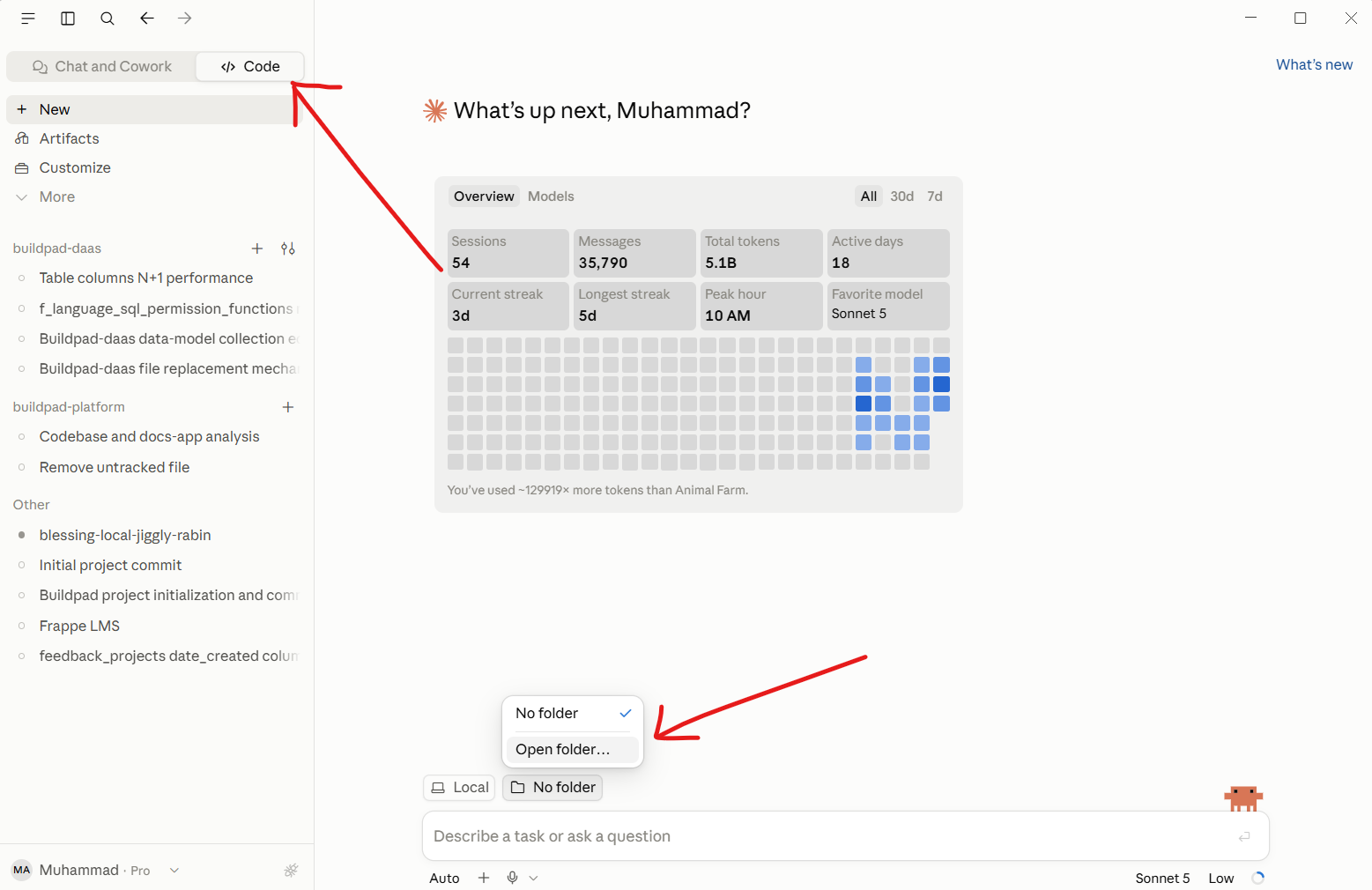
-
Claude Code will ask permission to connect to your project’s backend — click Approve on each one it asks about. This is normal; it’s just letting your AI assistant see your project’s data.
-
Once connected, type in plain English what you want to build, for example:
Build me a simple page that lists customers with their name and email -
Claude Code will write the code for you. Review what it built, then ask for changes the same way you’d ask a person — “make the button blue” or “add a search box.”
Want the full walkthrough, including troubleshooting and advanced options like skills and subagents? See the complete Claude Code guide.
What’s Next?
- Get oriented with The Buildpad Ecosystem — which of the three docs sites answers which question.
- Learn about Organizations to manage your team and roles.
- Explore Projects to understand how to structure your applications.
- Model your data in DaaS Studio , then build screens with the UI components .