AI Series — Add AI Features to Your App
Layer AI capabilities onto an app generated from the Buildpad starter: a chat interface, AI-assisted forms, and generated summaries — all answering questions about your live DaaS data.
Each tutorial in this series teaches the feature two ways:
- With Chocolate Factory (recommended) — a managed agent, configured in the Portal, with monitoring built in. This is the primary path each tutorial walks through.
- DIY on AWS Bedrock — call the model directly from your own code. Covered as an alternative at the end of each tutorial, for when you need to own the infrastructure yourself.
These tutorials assume you have a working generated app with at least one DaaS collection. If you don’t, complete Tutorial 1: Your First App and Tutorial 2: Collections & Data first.
Chocolate Factory or DIY Bedrock?
- Setup — Chocolate Factory: connect the connector, create an agent in the Portal. DIY: AWS account, Bedrock model access request, API key.
- Reaching your DaaS data — Chocolate Factory: register DaaS’s built-in MCP endpoint on the agent, no code. DIY: you write
tool()definitions that call your DaaS REST API. - Changing models — Chocolate Factory: swap it in the Portal. DIY: edit code and env vars.
- Monitoring — Chocolate Factory: token usage, logs, and traces built in. DIY: you build your own.
Most apps are better served by Chocolate Factory — that’s why it’s the path each tutorial leads with. Reach for the DIY alternative if you specifically need to own the model calls yourself.
What You’ll Build
Three AI features, all answering questions about your live DaaS data:
- A streaming chat page where users ask questions about their data and the assistant answers by querying your DaaS collections. Tool calls render inline so users see exactly what was queried.
- An AI-assisted form where users describe what they want to create in plain English and the assistant drafts the field values for review before saving.
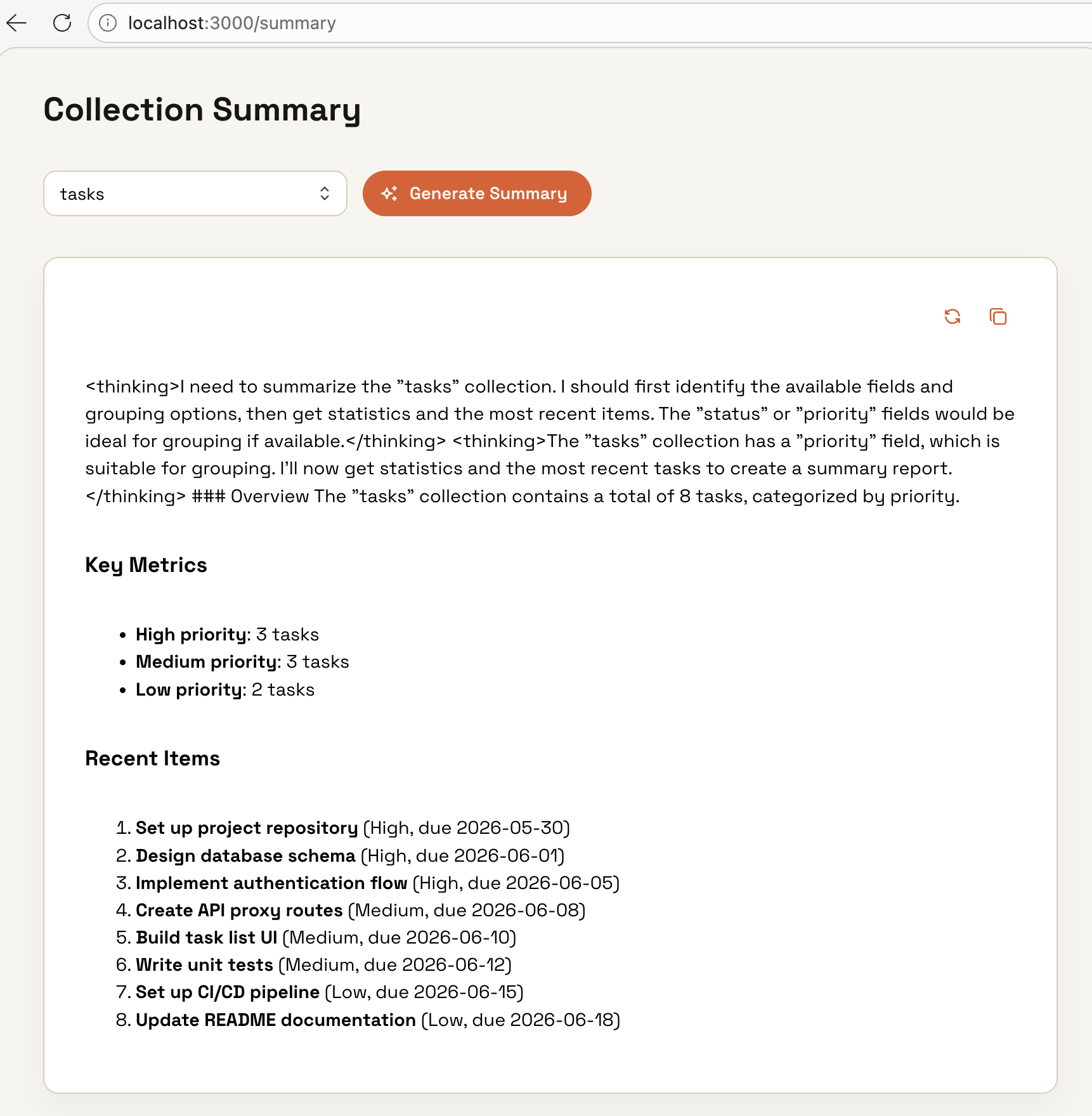
- A summary report page where users select a collection, click a button, and get a formatted AI-written overview of the collection’s current state.
The Tutorial Path
Prerequisites
- A generated app from the Buildpad starter, running locally
- A DaaS instance with at least one collection populated
- For the Chocolate Factory path: the connector connected to your project
- For the DIY path: an AWS account with Bedrock model access granted in your target region
Last updated on