Chocolate Factory Observability
Every agent call your app makes through Chocolate Factory is recorded automatically — nothing to instrument. When something looks off, open the Platform link on your project’s Connectors page, then Monitoring in the sidebar.
Monitoring has three tabs:
- Token Usage — how much your agents are being used, broken down by user, agent, or project
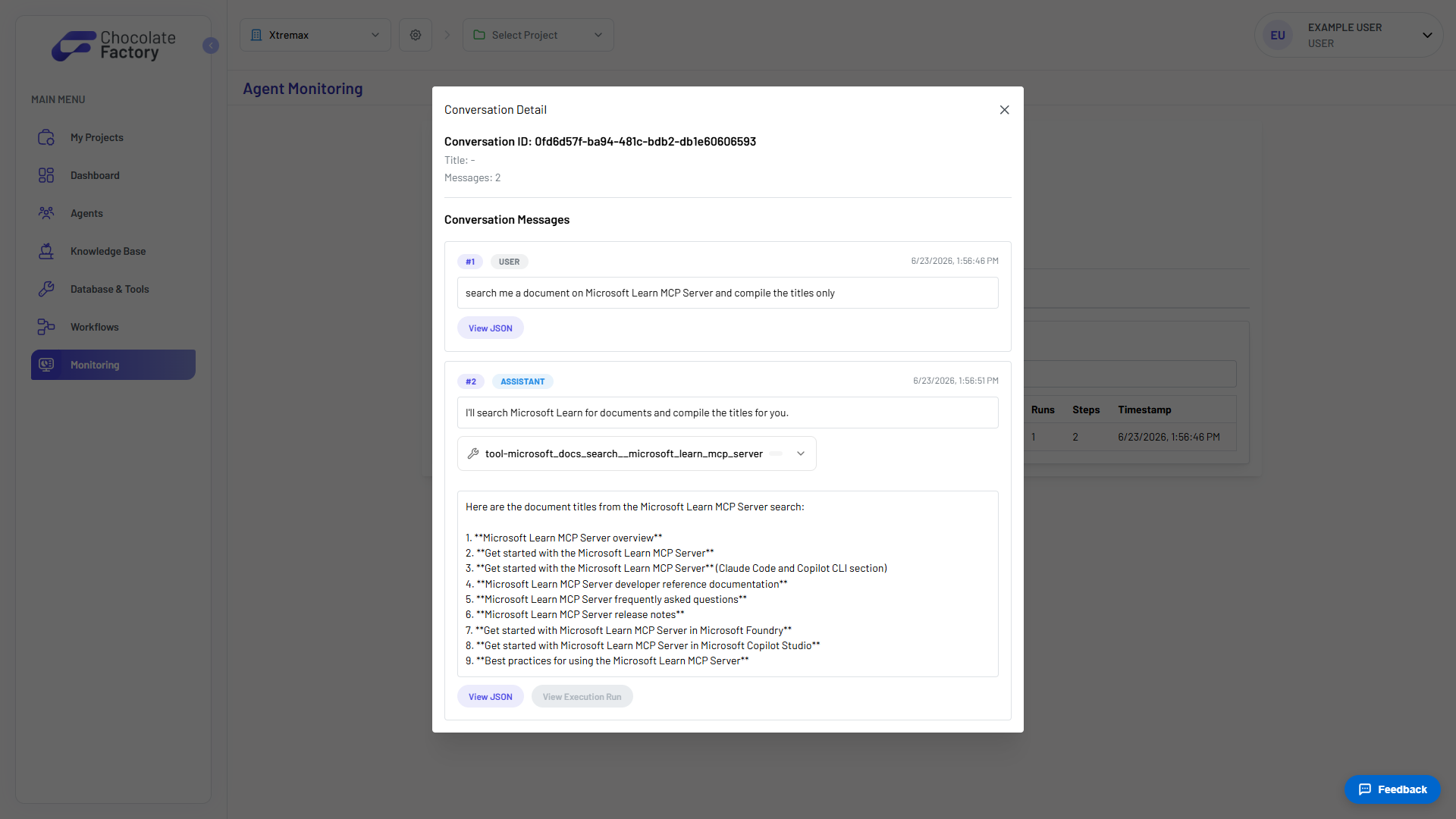
- Execution Logs — the full message history for any conversation, for when a response looks wrong
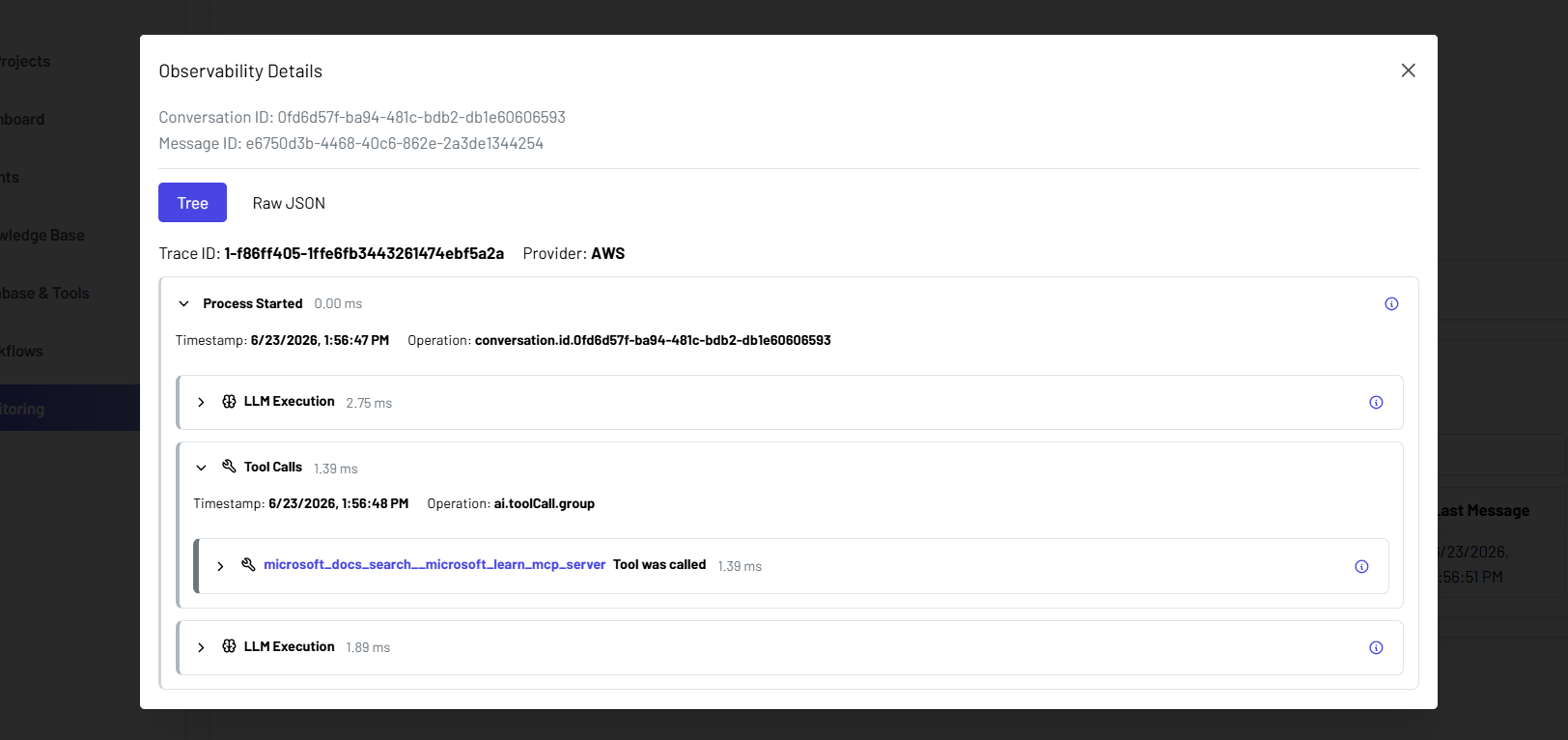
- Observability — a trace of one prompt’s execution (LLM call + tool calls), for when a response is slow or a tool fails
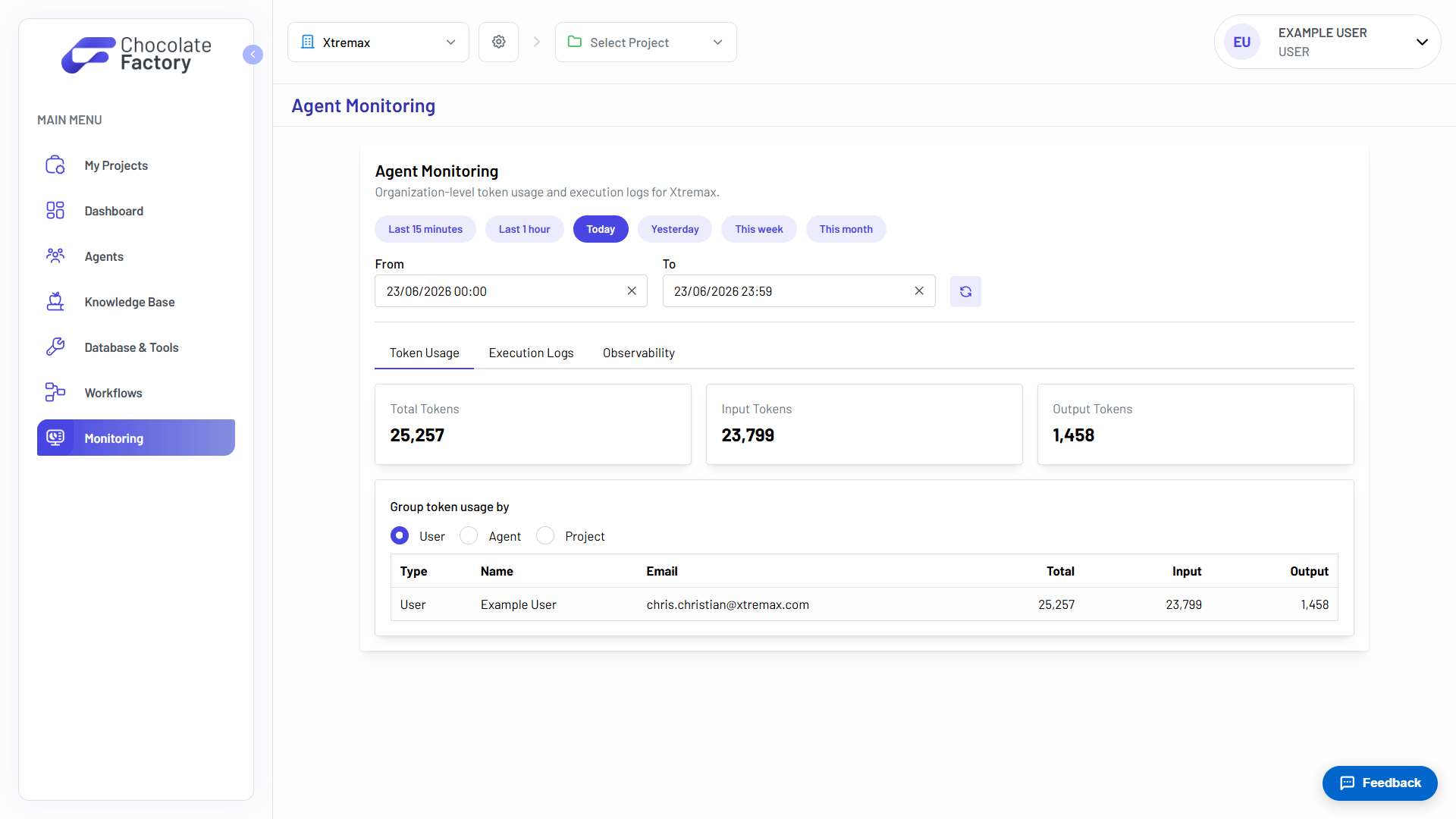
For a closer look at each tab, see Chocolate Factory’s own Monitoring guide .
Example: A chat widget reply looked wrong
Someone using your app says your support chat widget gave a bad answer. Open Execution Logs, find the conversation (search by agent), and open it. You’ll see the full message exchange, including any tool calls the agent made and what they returned — usually enough to tell whether the model made it up or a tool fed it bad data.
Example: A feature is slow or erroring
Your AI dashboard summary is timing out, or a structured-output call is failing. Open Observability, find the conversation, and click View Trace on the prompt in question. The trace breaks the run into spans — the LLM call and each tool invocation — with a duration on each, so you can see exactly which step is slow, or which tool call failed and why.
Remember
No setup required — connecting Chocolate Factory is enough; every call your app makes shows up in Monitoring automatically.
Token counts, not cost — convert using your model provider’s rate if you need to estimate spend.
Not seeing your agent’s calls show up in Monitoring at all? Tell your coding assistant: “Chocolate Factory Monitoring isn’t showing my agent calls” — it can check your connector status and confirm requests are set up to thread correctly.