Chocolate Factory Agent Configuration
Every feature you build with Chocolate Factory calls an agent — a model, a system prompt, and optionally tools, all configured in the Chocolate Factory Portal (the Platform link on your project’s Connectors page), not your code. This page covers what to set up before you copy an Agent ID into a prompt.
Buildpad connects your project to Chocolate Factory, but creating and configuring the agent itself always happens in the Chocolate Factory Portal — that part isn’t automated for you.
Create an agent
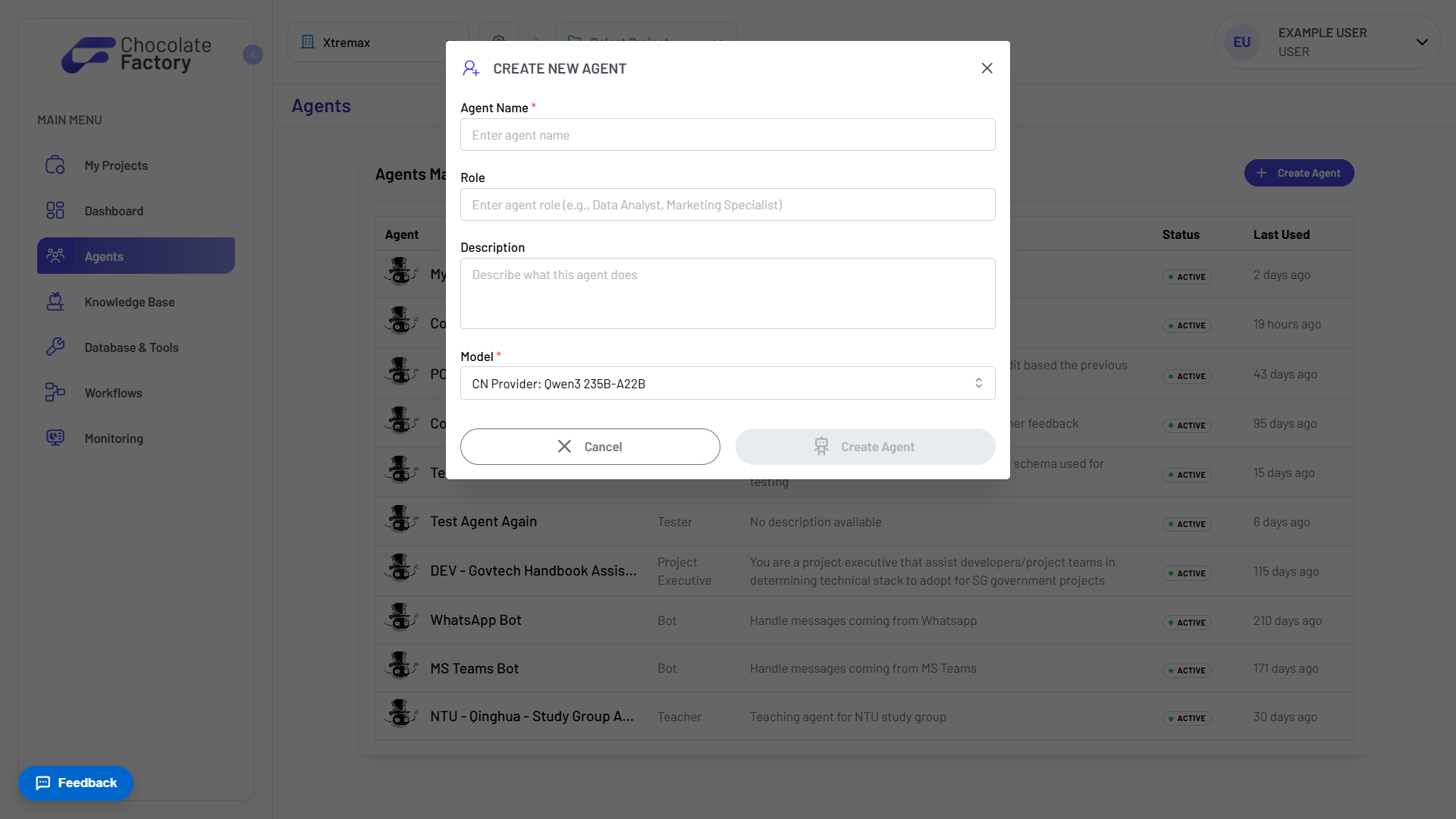
From the Chocolate Factory Portal’s sidebar, open Agents → Create Agent. Fill in Name and Model (required), plus optional Role and Description. The agent is created inactive — you’ll flip it active from its configuration page once it’s ready.
The setting that matters most: the system prompt
The Configuration tab is where you’ll spend most of your time — system prompt, model, temperature, and max tokens.

The system prompt decides what your app actually gets back. For a chat widget, it’s tone and scope (“You’re a support agent for Acme Co, answer only questions about billing and shipping”). For a dashboard summary or structured-data feature, it’s the output contract — e.g. “Always respond with valid JSON matching { labels: string[], values: number[] } and nothing else.” Your app’s code should still handle the case where the model doesn’t comply.
Give it tools if it needs to do more than talk
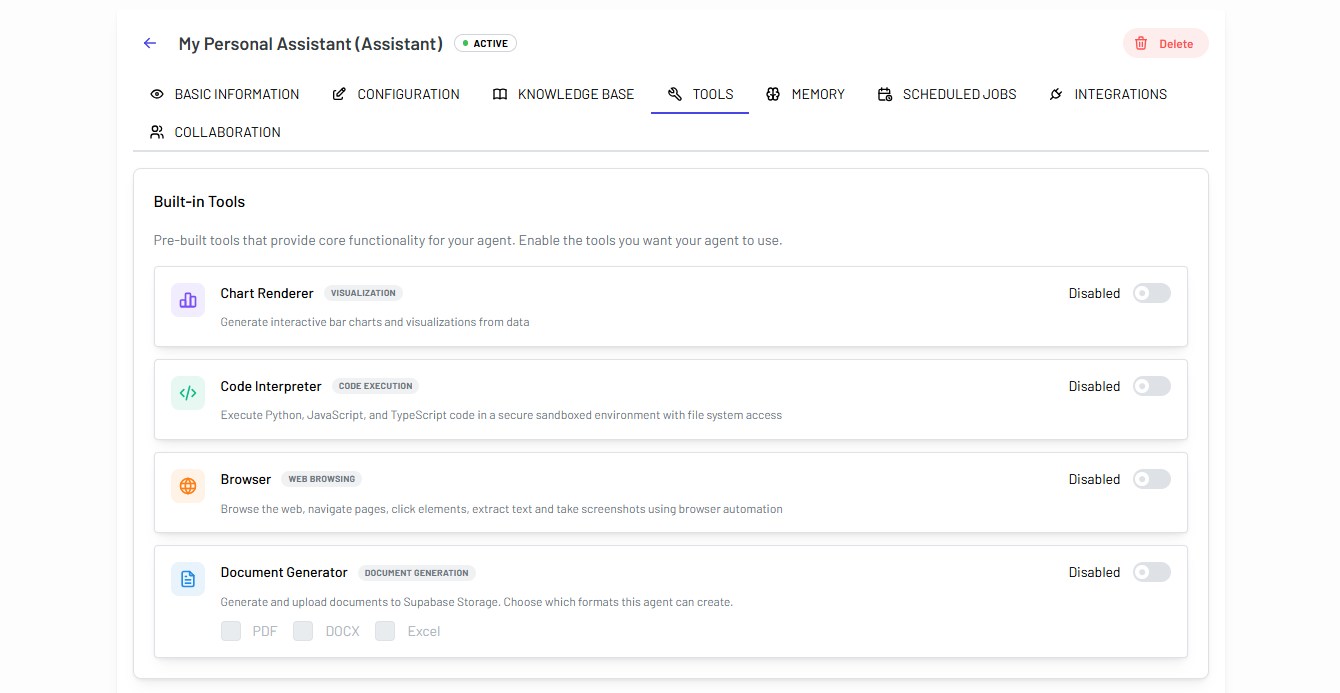
If a feature needs the agent to run code, query a database, or call an external API — not just answer in text — attach a tool on the Tools tab before wiring it into your app. Built-in tools (Code Interpreter, Chart Renderer, Browser, Document Generator) are a toggle switch each; anything else connects as an MCP server or database connection.
Also available
The configuration page has more tabs than most first features need: Knowledge (retrieval over documents), Memory (facts that persist across conversations), Scheduled Jobs (recurring runs), Collaboration (agent-to-agent handoff), and Integrations (webhooks, messaging platforms). Skip these until a specific feature calls for them.
For the full breakdown of every tab, see Chocolate Factory’s own Setup & Configuration guide .
Remember
Configuration lives in the Chocolate Factory Portal, not your code — your app just calls the agent by ID; nothing about its behavior is set in your repo.
The system prompt is your primary lever — for chat, dashboards, or structured output, most of the difference between “works” and “doesn’t” comes down to what the prompt asks for.
New agents start inactive — flip it active before expecting real traffic to reach it.
Not getting the output you expect? Tell your coding assistant what response you got vs. what you wanted — it can help you refine what your app sends and how it parses the reply, but the system prompt itself is still edited in the Chocolate Factory Portal.